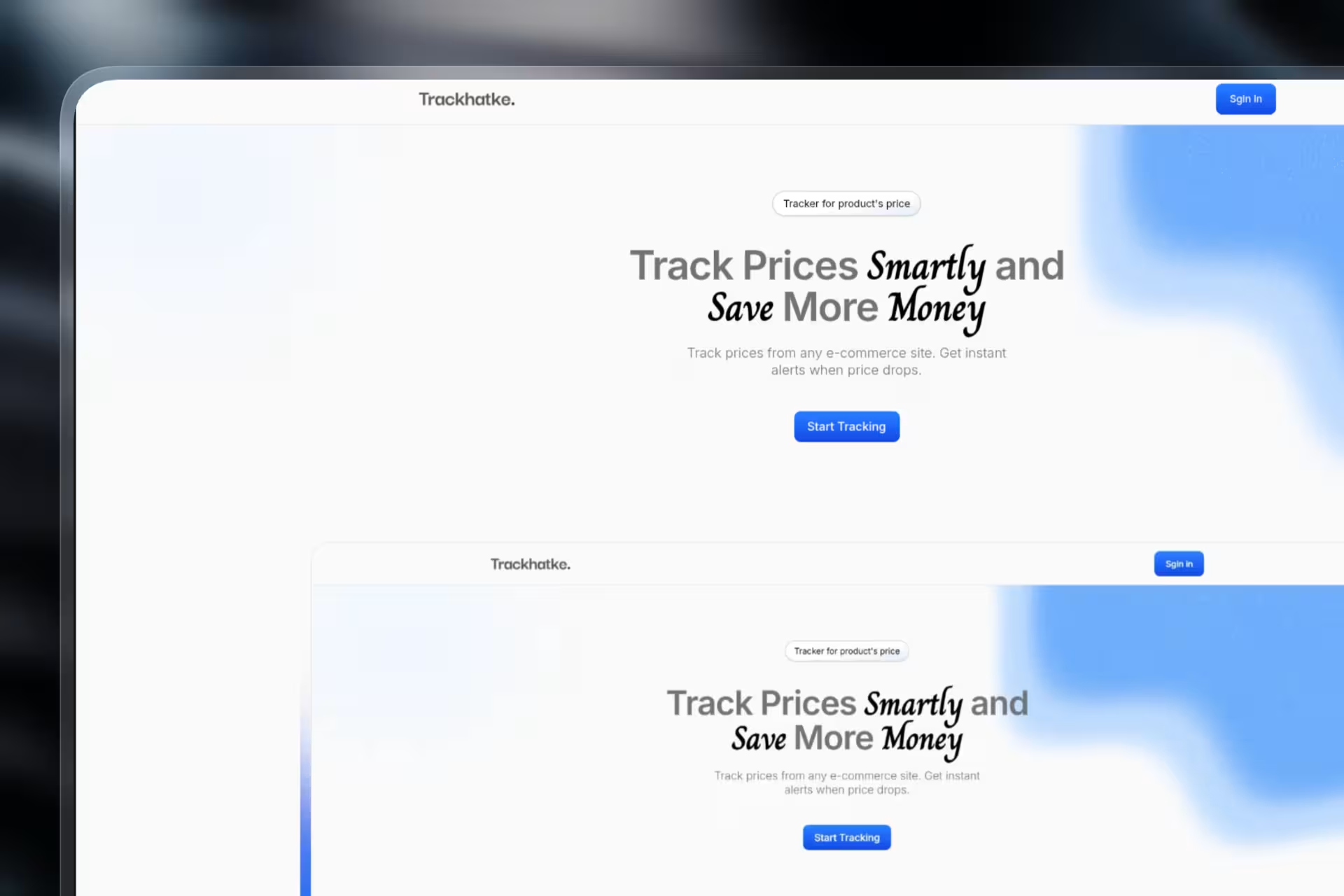
Price Tracker: Your Smart Shopping Assistant

An open-source web app that watches product prices on e-commerce sites. Paste a URL, see a price history chart, get an email when it drops. Next.js + Supabase + Firecrawl.

Price Tracker: Your Smart Shopping AssistantClick to zoom
Timeline

2 months

Role

Full-Stack Developer

Team

Solo Project

Status
In Development

Technology Stack

TypeScript
Firecrawl
Next.js
SupaBase

Key Challenges

  • Reliable Web Scraping Across Different E-commerce Sites
  • Real-time Data Synchronization and Cron Job Management
  • Database Schema Design for Historical Price Data
  • Implementing a Robust User Notification System

Key Learnings

  • Advanced Web Scraping Techniques with Firecrawl
  • Full-stack Application Development with Next.js Server Actions
  • Serverless Database Management and Authentication with Supabase
  • Building Data-Intensive, User-Facing Applications

Price Tracker: Your Smart Shopping Assistant

Price Tracker is an open-source web app for watching product prices on e-commerce sites and getting notified when they drop. Paste a product URL, get a price history chart and an email alert when the price hits your target.

I built it because I wanted to buy a mechanical keyboard, and the price kept bouncing around by 15% over a week. I wanted a chart, not a refreshing tab.


What users can do

  • Track any product. Paste a product URL to start monitoring its price.
  • View price history. See a chart of how the product’s price has changed over time.
  • Get price drop alerts. Receive an email as soon as a tracked product’s price drops.
  • Set target prices. Define a price you want to pay, get notified when it’s reached.
  • Manage a personal watchlist. Keep all your tracked products in one private dashboard.
  • Discover trends. Spot the times of year when a product tends to be cheapest.
  • No manual checking. The app re-scrapes every product on a schedule.

Key features

  • Automated web scraping. Uses Firecrawl to parse and extract product info (name, price, currency, image) from e-commerce sites, including ones that block simple scrapers.
  • Scheduled data fetching. A cron job re-scrapes every tracked product once a day and writes the new price to the database.
  • Secure user authentication. Supabase Auth handles sign-up, login, and per-user watchlists.
  • Historical data visualization. A line chart per product, drawn from the price history table.
  • Notification system. An email pipeline sends out alerts for price drops and target price hits.
  • Full-stack Next.js architecture. Server Components for the dashboard, Server Actions for the form submissions, API routes for the cron and the email pipeline.
  • PostgreSQL database. Supabase Postgres stores users, products, and the full price history.

Why I built this

  • I wanted a tool to stop overpaying for things I was about to buy.
  • I wanted to learn what scraping at scale actually feels like (turns out: the bot detection is the whole problem).
  • I wanted to go deeper on full-stack, data-heavy apps after a stretch of mostly frontend work.
  • I wanted a project other people could use, contribute to, and learn from.
  • I wanted to see how far Next.js Server Actions and Supabase could get me without a separate backend service.

Tech stack

Frontend and backend

  • Next.js. The App Router for the React frontend, Server Actions and API routes for the backend, and a built-in cron for the daily scrape.
  • TypeScript. End-to-end types, including the ones Supabase generates from the database schema.
  • Tailwind CSS. The dashboard UI.

Data and infrastructure

  • Supabase. Postgres for users, products, and price history. Auth for sign-up and login. Scheduled functions for the cron job.
  • Firecrawl. The scraping service. It handles JS rendering and the basic bot detection, so I don’t have to write a custom scraper per site.
  • Vercel. Hosting, with instant rollbacks when a deploy breaks.

How it was built

Architecting the data model

I designed the schema in Supabase with three tables: users, products, and a price_history table that stores one row per scrape with a timestamp. The history table is the one that gets heavy. A single user with fifty products over a year is about eighteen thousand rows. The indexes on (product_id, scraped_at) keep the chart queries under 50ms.

Building the scraping engine

The hardest part was reliable extraction across sites that don’t want to be scraped. Firecrawl does the actual work, but I had to write the validation layer around it: confirm the price field is a number, the currency matches what I expect, the image is actually an image. A scraper that returns garbage silently is worse than one that fails loudly.

Implementing the user-facing features

The dashboard is mostly Server Components reading from Supabase, with Server Actions for the forms (add product, set target price, remove product). The chart is client-rendered. The email pipeline runs from a separate API route, not from the cron, so a slow email service doesn’t back up the scrape job.


What shipped

  • A functional, deployed web app.
  • A working scraping pipeline that survives most layout changes on the supported sites.
  • A daily cron that re-scrapes every user’s watchlist.
  • A working email alert system.
  • A codebase that’s still readable at this size, which is mostly thanks to TypeScript.

Future ideas

  • More sites. Add support for a wider range of retailers beyond the current two.
  • Browser extension. Save a product to your watchlist from the product page itself.
  • Better analytics. “Best time to buy” predictions based on the price history.
  • Sharing. Let users share a watchlist or a single deal.
  • Cross-site comparison. Show the same product across different retailers.
  • More currencies. Useful for anyone shopping across regions.

What I learned

  • End-to-end full-stack: from the Postgres schema, through the scraping pipeline, to the chart UI.
  • That specialized scraping services are almost always worth the cost versus building your own, even at small scale.
  • That “serverless” means less for me to manage, but the runtime limits will find me once the user count grows.
  • That email deliverability is a separate engineering problem from “send an email.”
"You have a right to perform your prescribed duty, but you are not entitled to the fruits of actions."
Bhagavad Gita

Design by SahilCodex
© 2026. Built with hands.