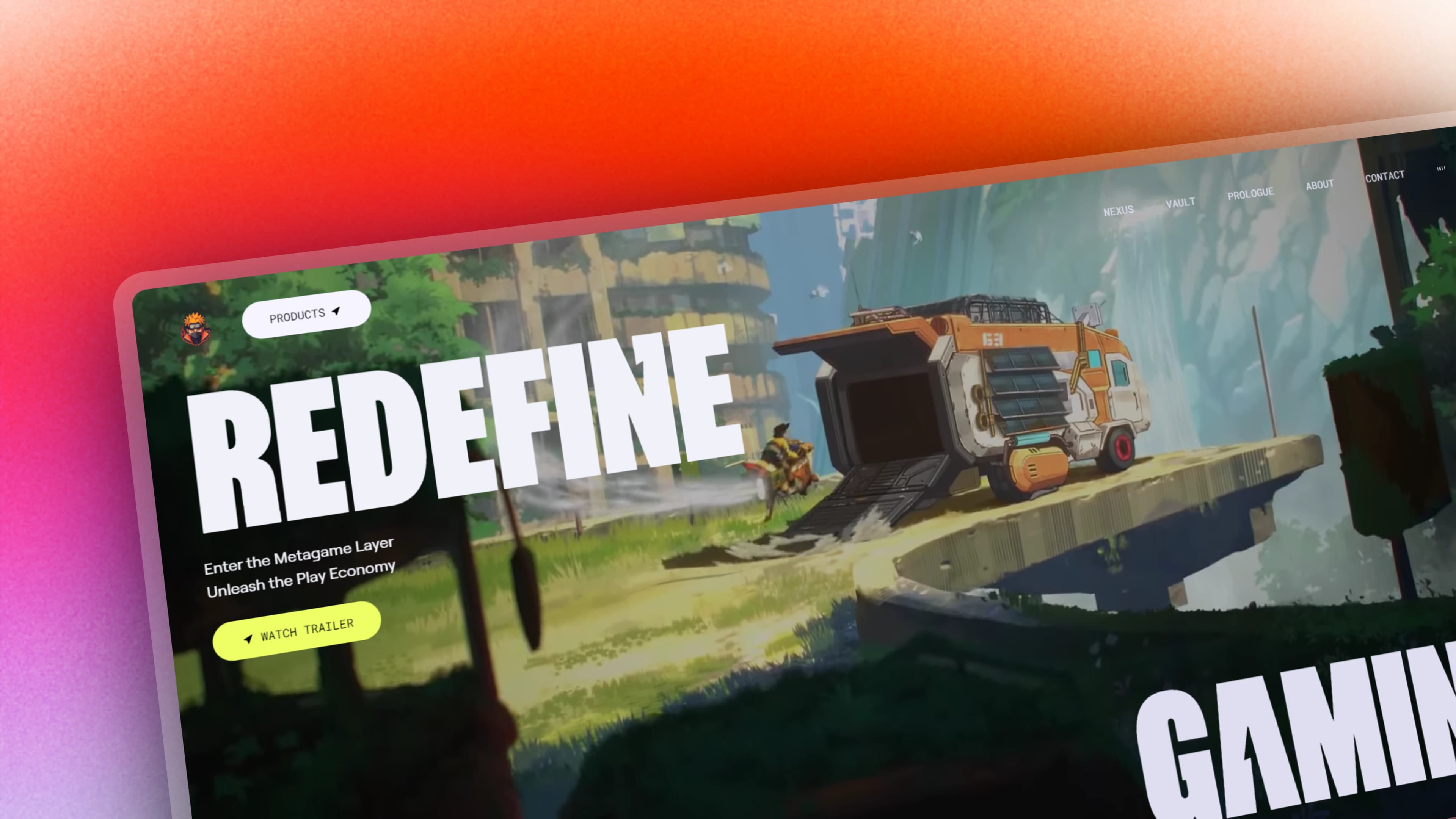
A GSAP animation project built with JavaScript, Vite, and Tailwind CSS. Reusable animation helpers organize the motion work behind the interactive landing page.
 Click to zoom
- Role
- Frontend Developer
- Timeline
- 1–2 Weeks
- Team
- Solo
- Status
- Completed
Built with
- JavaScript
- GSAP
- ScrollTrigger
- Tailwind CSS
- Vite
The brief
A motion-heavy page needs a structure for coordinating animations across sections. Nova is a frontend project for building and presenting those interactions.
Worked on the landing-page interface, GSAP animation setup, and reusable motion patterns.
Implementation notes
Use timeline-based motion
GSAP provides the animation engine, with ScrollTrigger connecting motion to the page scroll. Timing and sequencing live in animation logic rather than scattered inline styles.
Organize animation helpers
The project separates animations, styles, and assets. Reusable helpers make the setup easier to extend as new sections are added.
Keep the stack focused
JavaScript, Vite, and Tailwind supply the page and build setup. The project concentrates on frontend interaction rather than adding unrelated backend services.
Current result
A live animated landing page and a repository organized for further GSAP work. The demo is the clearest place to assess the motion and visual composition.
Motion as part of the interface
The page uses section transitions and coordinated animation to guide browsing. Scroll-linked interactions give the project a different engineering focus from a static landing page: how visual state changes as the visitor moves through it.
What to review
The live experience shows the pacing and composition. The repository shows the GSAP setup, plugin integration, and separation between animation helpers and page styling. Together, they give a reviewer both the interaction and the code behind it.
"You have a right to perform your prescribed duty, but you are not entitled to the fruits of actions."
Design by SahilCodex
© 2026. Built with hands.